Coffee technology is changing how we record recipes, control brewing and look after machines, from connected scales to remote controls and automatic shot stopping. The useful distinction is between technology that measures coffee, technology that adjusts preparation and technology that simply moves the controls onto a phone. Manufacturer documentation provides examples of all three, but they solve different problems.
In short
- Start with the task you want to improve: remembering recipes, preparing drinks, adjusting brewing or managing maintenance.
- Treat “smart” as a question, not a specification: ask exactly what the machine measures and controls.
- Check compatibility for the complete combination of machine, accessory, app and software version.
- Ask for a demonstration of what still works without the app or internet connection.
- For shared workplaces, prioritise straightforward machine-side controls, clear permissions and an agreed support plan.
Guides in Coffee and Technology
 App-Controlled Coffee MachinesWhat app-controlled coffee machines can do, from saved recipes to maintenance alerts and office telemetry, plus checks for connectivity and support.Read the guide
 Coffee and Technology: The Complete GuideExplore coffee apps, connected machines, smart scales, office telemetry and roast tracking, with practical checks for compatibility, privacy and support.Read the guide
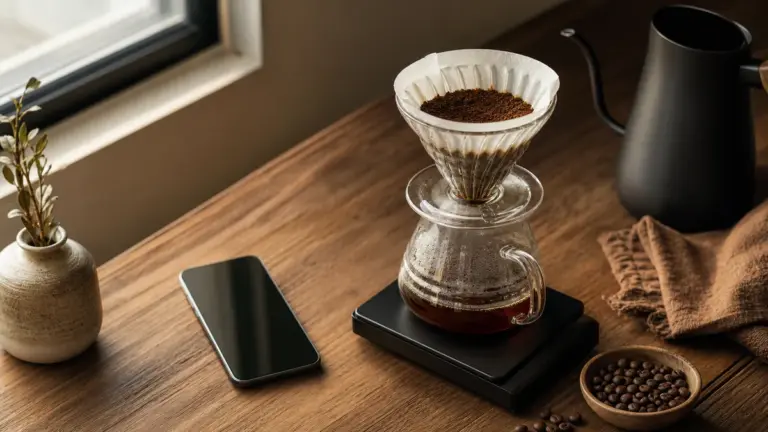 Coffee AppsChoose useful coffee apps for brewing timers, recipes and roasting logs. Compare compatibility, privacy, backups and free versus paid features.Read the guide
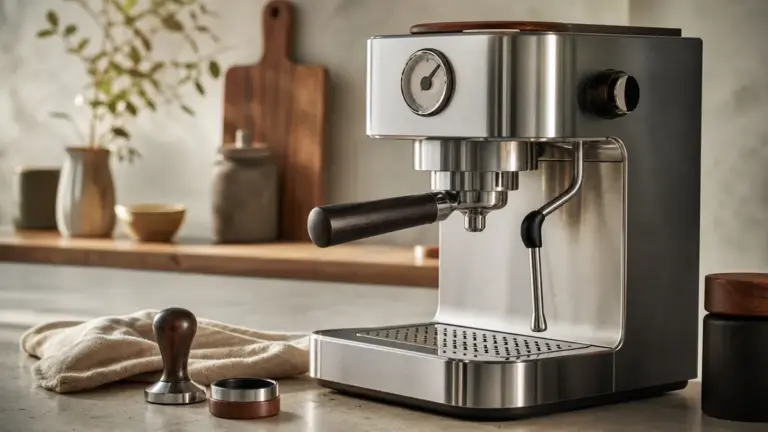 Emerging Coffee Machine TechnologyExplore pressure profiling, automatic dialling-in, sensors and energy features, with a clear distinction between production machines and research prototypes.Read the guide
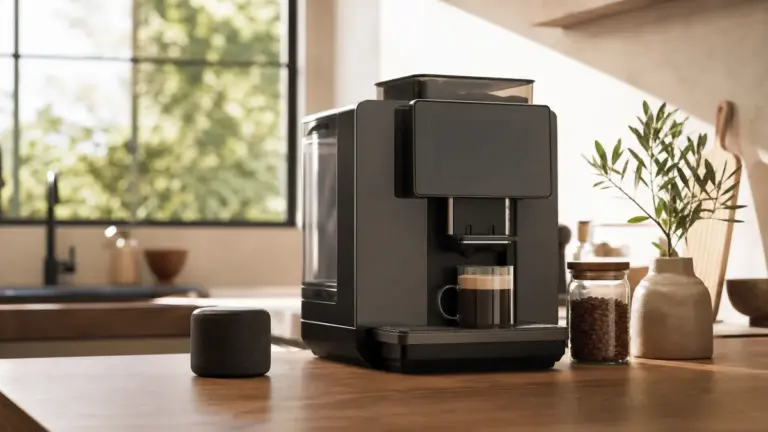 Smart Coffee MakersAre smart coffee makers worth it? Compare app and voice control, scheduling, offline operation and security support before choosing a connected brewer.Read the guide
Start here if you are new
- Read the complete technology guide first for the underlying concepts. It is the next step when you want explanations rather than this hub’s map of the subject.
- Continue to coffee apps if your priority is recording and improving what you already brew. Start here before considering whether you need different equipment.
- Read about smart coffee makers when you are ready to compare machine features. Use it to separate useful automation from functions you are unlikely to use.
This hub sits within machines and equipment. Keep that wider guide alongside it when choosing the physical equipment as well as its digital features.
Coffee and technology at a glance
The table compares areas by their purpose, intended user and most useful buying question. The suitability judgements are editorial guidance, not product rankings.
| Area | Main purpose | Who should explore it | Question to ask |
|---|---|---|---|
| Coffee apps | Keep recipes, notes and brewing records | Anyone wanting a more repeatable routine | Can I record what matters without complicating brewing? |
| Smart coffee makers | Assist or automate preparation | People seeking less hands-on work | Which adjustments does the machine actually make? |
| App-controlled machines | Move supported controls onto a phone | Users who need remote access or personal settings | Which functions work remotely, and under what conditions? |
| Connected measurement | Capture weight or use it to control equipment | Learners and precise espresso brewers | Is it displaying data, recording it or acting on it? |
| Commercial telemetry | Report machine activity and maintenance needs | Workplace and facilities teams | Who receives an alert and takes action? |
These categories overlap. Acaia documents brewing records and connected-scale functions, Sage documents assisted preparation, and WMF documents remote machine reporting. A connected product should therefore be assessed by its individual functions rather than assigned one broad “smart” label.
Apps: better records before more equipment
Read coffee apps when you want help choosing a digital brewing companion. That piece is the useful destination for app types, recording workflows and the practical checks to make before committing your recipes to a service.
A concrete example is Acaia’s app range. The manufacturer says Brewmaster saves visual brewing data, while Brewguide lets users create or find recipes and transfer them to a compatible Pearl S scale. Those are different functions: one helps document preparation, while the other delivers instructions through connected equipment.
Before installing anything, decide what you want to remember. A useful personal record might include the coffee, grinder setting, coffee and water weights, preparation time and a short taste note. “Sharper than yesterday, with a drying finish” gives your next adjustment a clearer purpose than a score alone.
Keep the routine manageable. If entering information becomes a chore, reduce the fields rather than abandon the record. For a shared office, start with a simple recipe name and a clear description of the intended drink before asking colleagues to contribute detailed tasting notes.
Also check how you can retrieve your information. Ask whether records can be exported, whether they remain accessible without an account and what happens when you change phones. Treat these as selection criteria, not features to assume.
Smart coffee makers: what happens inside the machine?
Use smart coffee makers when comparing equipment that assists preparation. It is the right next read if you want to understand the difference between automatic handling, brewing guidance and connected controls.
For example, Sage’s Oracle Jet manual describes automatic grinding, dosing and tamping, alongside Barista Guidance that recommends grind-size changes during extraction. The same manual describes Wi-Fi for software updates. These manufacturer-described functions demonstrate why connectivity and brewing automation should be checked separately: an internet connection does not, by itself, explain how the coffee is prepared.
A useful assessment has three parts:
- What is measured? Ask which signals inform the feature.
- What is changed? Establish whether the machine makes an adjustment or asks you to make it.
- What remains your responsibility? Request a demonstration of loading, preparation, cleaning and recovery after an interrupted task.
Pay particular attention to the handover between person and machine. During a demonstration, ask an unfamiliar user to prepare a drink using only the normal instructions. Note every point where they need help.
For a workplace, make that exercise part of the selection process. An impressive guided demonstration is less useful than seeing whether ordinary users can select a drink, recognise a warning and leave the machine ready for the next person.
App control: convenience with conditions
Read app-controlled coffee machines if your main question is what a phone can actually do. That piece is the destination for compatibility, pairing and the distinction between changing settings and starting preparation.
Siemens’ UK connected-coffee page describes remote settings and a coffeePlaylist function that sends drink selections to the machine in sequence. It also says users must swap the cups and serve the drinks. This is a helpful reminder that a digital order queue is not automatic cup handling.
Remote-start behaviour also needs a model-specific check. Home Connect’s general guidance places coffee machines in a category where remote start is available after pairing without repeated activation, but explicitly notes that individual appliances can differ. Do not transfer that behaviour to another platform or assume every connected machine can be started in the same way.
Before relying on remote preparation:
- Read the exact model’s instructions, including its remote-start conditions.
- Check which physical preparations must be completed at the machine.
- Confirm how rinsing, cleaning requests and other interruptions affect the intended workflow.
- Test the procedure while present before making it part of a routine.
- In a shared space, agree who may start drinks remotely.
Ask separately about internet dependence. Home Connect describes internet access as a condition for starting an appliance remotely from elsewhere. That does not establish what another manufacturer’s system needs, or what a particular machine can do through its own controls during an outage.
Emerging technology: measurement that changes preparation
Read emerging coffee machine technology when you want to examine developments beyond remote buttons and recipe storage. It is the useful next step for separating documented functions from predictions and promotional claims.
From displaying weight to controlling output
A connected scale can become part of a control system rather than merely a measuring instrument. La Marzocco describes brew-by-weight as a feature that uses a compatible connected scale to stop espresso preparation at a selected beverage weight, with a predictive algorithm accounting for residual drips. This is a manufacturer-described capability, not an independent accuracy finding.
The distinction matters. Recording a finished drink gives you information to use next time; stopping preparation changes the current drink. When assessing any connected accessory, ask whether it observes, advises or controls.
Compatibility deserves special attention here. La Marzocco’s support documentation specifies machine, scale and firmware requirements for brew-by-weight. Do not assume that a scale works with a machine simply because both are connected products.
Evaluate “AI” by the task, not the label
For any feature promoted as artificial intelligence, ask for a plain explanation:
- What information does it receive?
- What decision does it make?
- Does it change a setting automatically?
- Can you inspect or override that change?
- What evidence supports the claimed improvement?
Use the same questions for familiar automation. A clearly documented, limited function is easier to judge than a broad promise of personalised coffee. Look for a repeatable demonstration of the task you need, rather than an impressive name.
Connected workplaces: turn information into action
In an office, begin with the operational problem. Do you need clearer cleaning responsibilities, visibility across several machines or a better understanding of busy periods?
WMF’s CoffeeConnect documentation describes fleet-status reporting, error and operator-action information, cleaning-related notifications, and dashboards covering machine status, consumption and peak usage. It also describes administrator roles and access permissions. These are published supplier capabilities, not evidence that every connected installation includes every function.
Telemetry means sending machine information to a separate monitoring system. Its value should be judged by what your team does with that information.
Before procurement, write down:
- Who receives each type of alert.
- Who carries out routine physical tasks.
- Which conditions require a service request.
- Who controls accounts and permissions.
- What happens when a responsible person is absent.
- How the team will work if monitoring becomes unavailable.
Ask the supplier and IT team to demonstrate the proposed arrangement together. Include account ownership, staff changes, connectivity, updates and removal of access when the machine leaves the workplace. Keep basic drink selection straightforward for colleagues who do not need administrative functions.
Brewing quality still needs its own checks
Certification is different from connectivity
For home filter brewers, check the Specialty Coffee Association’s current certified-equipment list. The SCA describes certification as third-party assessment against brewing and performance requirements. Use that evidence for its stated purpose, rather than treating certification as a verdict on app quality or remote-control convenience.
Scope matters too. SCA Standard 310-2021 concerns electrical home filter brewers operating at atmospheric pressure; it excludes espresso machines and pod or capsule brewers. Do not apply its requirements indiscriminately across machine classes.
Water settings need local information
Use your own water supplier’s postcode information rather than a single assumed UK hardness figure. Thames Water, for example, provides a postcode-based water-quality checker. Sage’s Oracle Jet manual separately describes a water-hardness test and machine setting, illustrating why local information and the exact machine instructions should be considered together.
For technical context, the publicly accessible SCA Standard 310-2021 document specifies test water with calcium hardness equivalent to 50 to 175 ppm calcium carbonate and alkalinity equivalent to 40 to 70 ppm calcium carbonate. These are brewer-test conditions, not universal filter settings or warranty instructions. Calcium hardness should also not be silently substituted for a supplier’s total-hardness measurement.
Support, security and UK consumer checks
Ask for the published security-support period before selecting a connected machine. The UK consumer connectable-product security regime took effect on 29 April 2024. For products within scope, its requirements include restrictions on universal default passwords, a route for reporting security issues and publication of minimum security-update periods. Official guidance identifies exemptions, including certain products supplied in Northern Ireland.
Keep security support separate from feature updates. Ask what each published commitment covers, which functions depend on an ongoing service and what remains available when support ends. Request written answers rather than relying on a general assurance that updates are provided.
For UK consumer purchases, the Consumer Rights Act 2015 includes requirements concerning satisfactory quality, description and fitness for a particular purpose made known to the trader, subject to the Act’s conditions. Its definition of a consumer concerns an individual acting wholly or mainly outside their trade or business, so workplace procurement should not assume the same consumer protections apply.
Retain the product description, compatibility statement and written answers about any essential connected feature. For business purchasing, request itemised written quotations and make the required functions and support responsibilities explicit.
FAQ
Do I need to replace my machine to use coffee technology?
Not necessarily: begin by deciding whether you need better records or different machine functions. A brewing record can be kept separately from the machine, while Acaia’s documented apps illustrate another route through connected measurement equipment. Check accessory compatibility before choosing that route, and avoid replacing equipment until you can name the task the replacement must improve.
What is firmware?
Firmware is the software operating within a device, rather than the phone app used to interact with it. The distinction matters when troubleshooting compatibility: La Marzocco’s brew-by-weight support information specifies machine and gateway firmware requirements as well as an app requirement. Ask which component needs updating instead of assuming that installing the newest phone app completes the process.
Should everyone in an office have administrator access?
As a practical policy, reserve administrator access for named people with a reason to use it. WMF’s documentation, for example, describes administrator-controlled user permissions. Before deployment, decide who should manage settings and accounts, who needs maintenance information and who only needs to prepare drinks. Review those assignments when staff responsibilities change.
Where to go next
Read Coffee and Technology: The Complete Guide for the fuller explanation, then Coffee Apps if your immediate goal is better brewing records. Choose App-Controlled Coffee Machines for remote-operation questions, or Emerging Coffee Machine Technology when you want to assess what developing systems actually do.
Sources
Manufacturer functions below are reported as published capabilities, not independently tested performance.
-
Acaia, “Our Apps”, undated.
https://acaia.co/pages/apps -
Sage Appliances, “the Oracle Jet”, instruction manual, BES985 / SES985 UK UG2, revision E26, 2026.
https://assets.sageappliances.com/BES985/SES985_UK_UG2_E26.pdf -
Siemens Home Appliances UK, “Siemens Home Connect: smart solutions for your coffee machine”, undated.
https://www.siemens-home.bsh-group.com/uk/inspiration/innovation/connected/coffee/ -
Home Connect, “Remote Start”, undated.
https://www.home-connect.com/gb/en/discover-home-connect/discover/remote-start -
La Marzocco, “Brew-by-Weight”, app support, undated.
https://www.lamarzocco.com/it/en/app/support/brew-by-weight/ -
La Marzocco, “Brew by weight”, IoT Support International, undated.
https://support-iot.lamarzocco.com/brew-by-weight/ -
WMF Professional Coffee Machines, “WMF CoffeeConnect” FAQ, undated.
https://markets.wmf-coffeemachines.com/en_com/support/wmf-coffeeconnect-faq/ -
Specialty Coffee Association, “SCA Certified Home Equipment”, current online list, 2026.
https://sca.coffee/certified-home-brewer -
Specialty Coffee Association, “Home Coffee Brewers: Specifications and Test Methods”, SCA Standard 310-2021, copyright 2022, publicly accessible file labelled dev03.
https://sca.coffee/research/coffee-standards -
Thames Water, “Water quality”, undated.
https://www.thameswater.co.uk/help/water-and-waste-help/water-quality -
UK Parliament, “Consumer Rights Act 2015”, Chapter 15, sections 2, 9, 10 and 11, 2015.
https://www.legislation.gov.uk/ukpga/2015/15/pdfs/ukpga_20150015_en.pdf -
Office for Product Safety and Standards and relevant government departments, “Regulations: consumer connectable product security”, updated 17 March 2025.
https://www.gov.uk/guidance/regulations-consumer-connectable-product-security
Research used manufacturer documentation, SCA certification material, a water supplier’s local-information service and primary UK legal sources, distinguishing documented functions from editorial assessment and untested performance claims.
Last checked: November 2026